
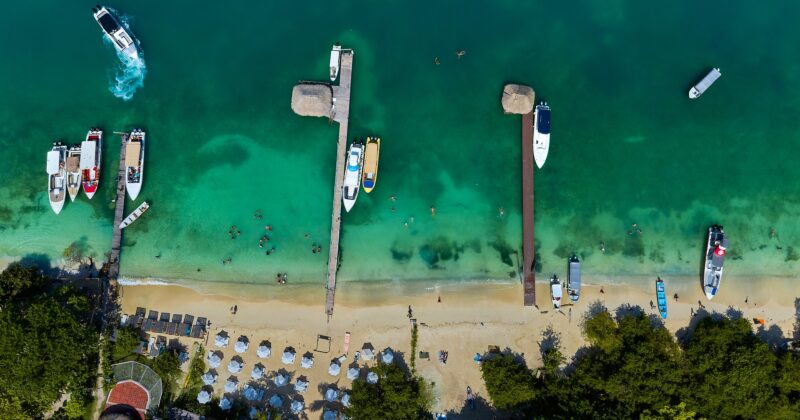
DJI Mini 4 Pro Review 2026: Honest test after 2 years of practical use
Why the DJI Mini 4 Pro was my most loyal travel companion
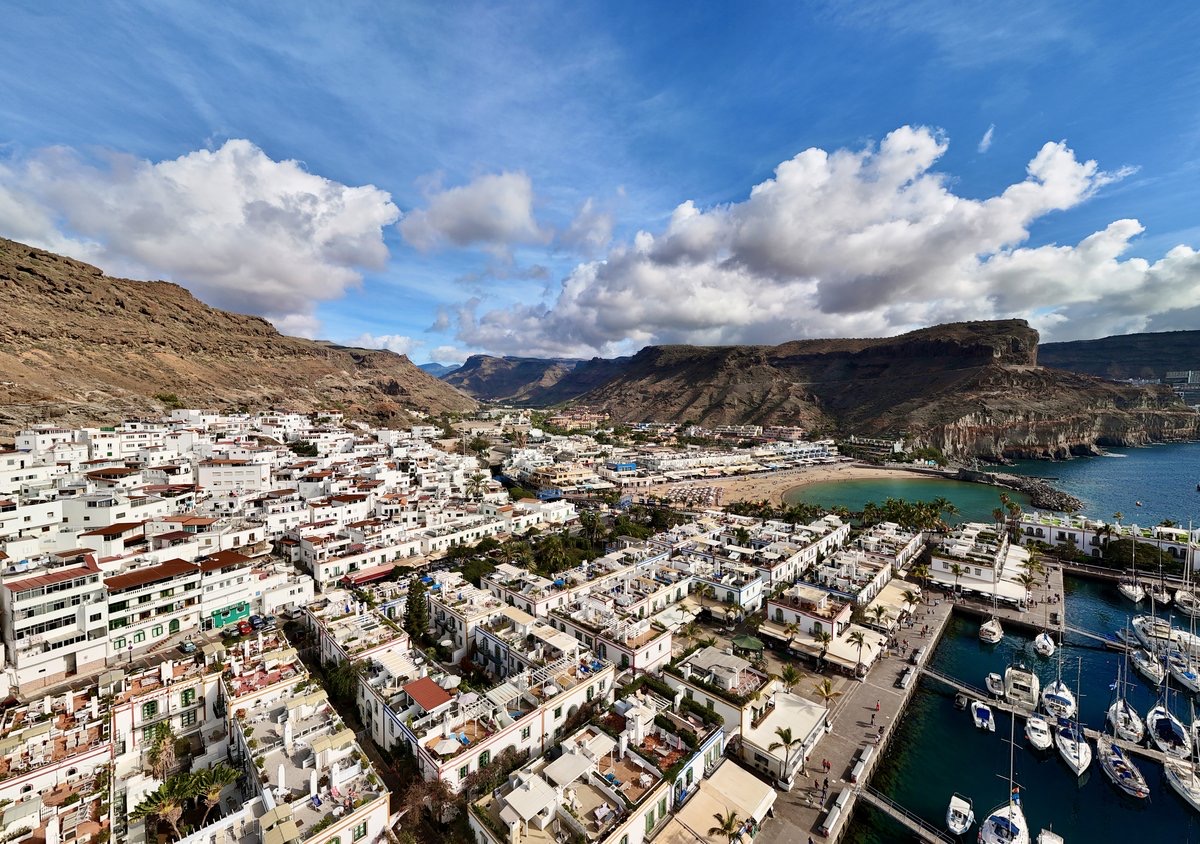
Before I get to the DJI Mini 5 Pro Since switching to a different drone, the DJI Mini 4 Pro has been my main drone for two years—and it remains a fantastic drone to this day. It has accompanied me to many countries, from the Canary Islands to New Zealand, from the Alps to the Saudi Arabian desert. Many flight hours, thousands of photos, zero crashes. This review is based on real, intensive use over two full years.
View the DJI Mini 4 Pro Fly More Combo on Amazon →
- Weight: Under 250 grams (Class C0): in the EU without proof of competence, operator registration with e-ID and liability insurance remain mandatory.
- 1/1.3-inch sensor with 48 MP photo, 4K/60fps video and D-Log M color profile for color grading.
- Realistically 28-31 minutes per battery, up to 34 minutes according to DJI, including omnidirectional obstacle detection.
- Price 2026: From approx. 599 euros used, 799 euros Fly More Combo new — successor Mini 5 Pro costs 400 euros more.
- For whom: Travel creators and beginners with a focus on daylight; not ideal for blue-hour shots or maximum image quality in low light.
Why am I writing a review about a drone that already has a successor? Because as of 2026, the DJI Mini 4 Pro offers the best price-performance ratio of all travel drones. Since its release, the DJI Mini 5 Pro The prices of the DJI Mini 4 Pro have fallen significantly — making it an absolute insider tip for beginners and budget-conscious creators.
DJI Mini 4 Pro Technical Specifications & Price — All Specs at a Glance
- Sensor: 1/1.3-inch CMOS, 48 megapixels
- Video: 4K/60fps, 4K/100fps (Slow Motion), FHD/120fps
- Photo: 48 MP RAW (DNG) and JPEG
- Weight: under 250 grams (Class C0; operator registration remains mandatory)
- Flight time: Up to 34 minutes (realistically 28-31 minutes)
- Reach: Up to 20 km (O4 transmission)
- Obstacle detection: Omnidirectional
- Price: From around 599 euros (used), 799 euros (Fly More Combo new)

DJI Mini 4 Pro image quality: The 1/1.3-inch sensor put to the test
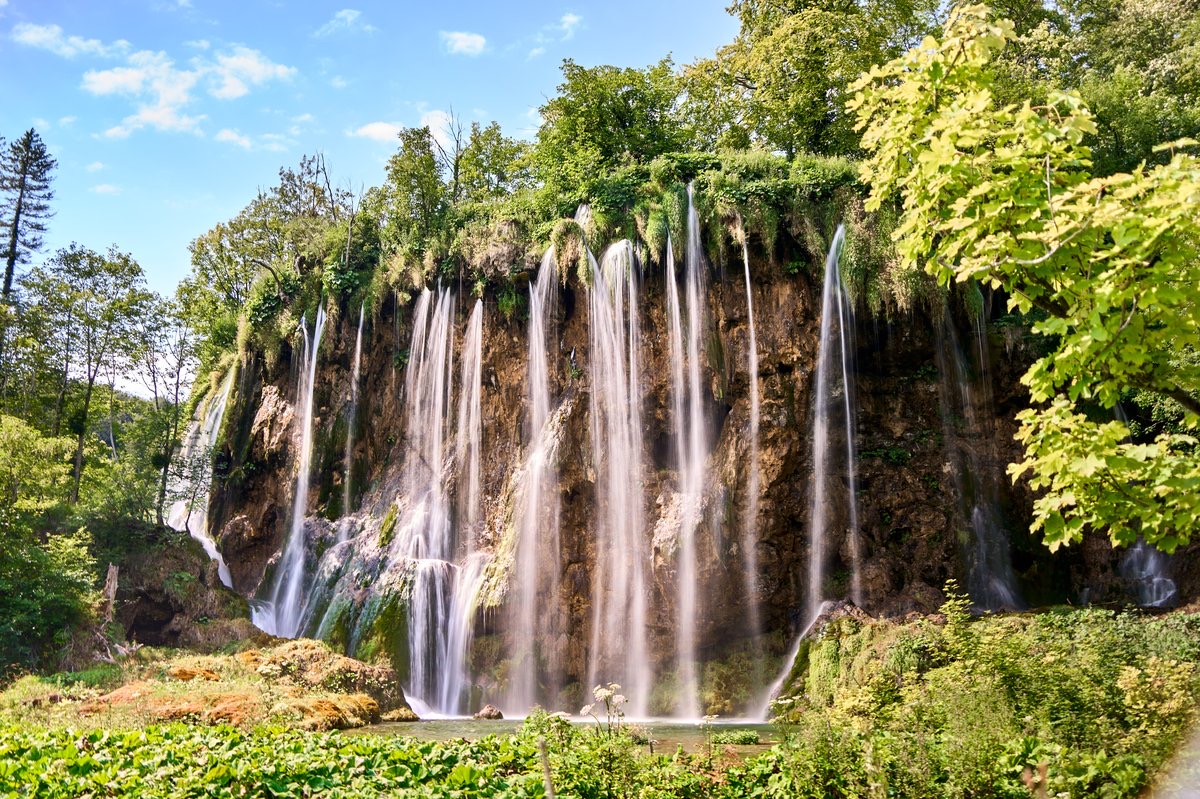
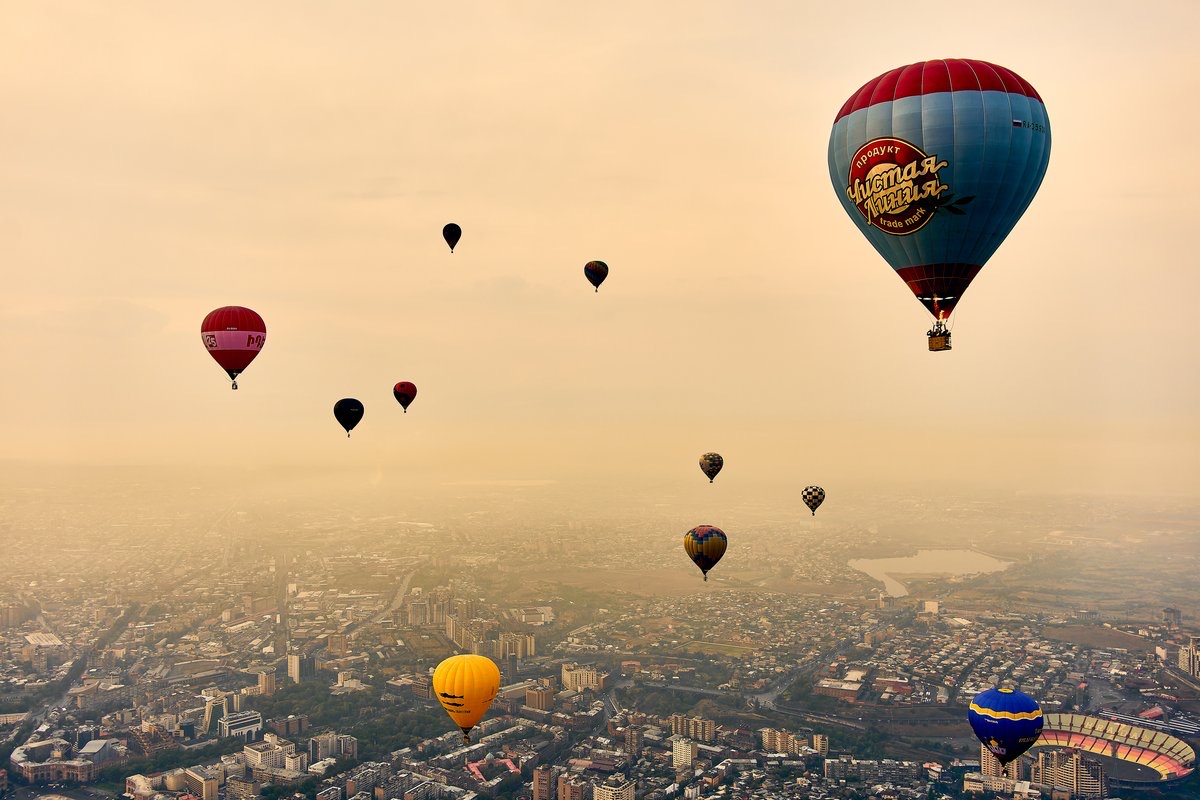
When DJI introduced the Mini 4 Pro, I was skeptical: Could a 1/1.3-inch sensor really deliver enough quality for professional work? The answer after two years: Yes, with limitations. In daylight and during golden hour, the Mini 4 Pro produces images that are indistinguishable from those of a Mavic 3 on social media (Instagram, TikTok, YouTube). Only when you zoom in on a 27-inch monitor do you see the difference in detail.
The sensor's strength lies in its resolution: 48 megapixels in such a small drone allow you to crop images generously. I regularly took a horizontal 48-megapixel image and cropped it to a vertical Instagram format—and the quality was still outstanding. I still use this workflow today.
Where the sensor reaches its limits: in low light. Noise becomes visible from ISO 800, and problematic from ISO 1600. Everything is fine at sunset with residual daylight—but the truly dark blue hour or even night shots are not this drone's forte. Here, the Mini 5 Pro, with its larger 1-inch sensor, has a clear advantage.
Video quality: More than enough for social media
The 4K/60fps video recording is sharp and detailed. The D-Log M color profile gives you plenty of leeway for color grading in post-production, and the result looks professional. I've used it for collaborations, and no client has complained about the quality.
The DJI Mini 4 Pro's slow-motion capability is sufficient for most travel clips: 4K/100fps is available as the regular slow-motion mode, while 4K/60fps can be slowed down less significantly. FHD/120fps is also possible, but the loss of quality is noticeable on large screens at Full HD resolution.
What positively surprised me about the Mini 4 Pro was the electronic image stabilization (EIS) in combination with the 3-axis gimbal, which produces incredibly smooth footage. Even in moderate winds (force 3-4), there's no shaking or jerking in the image. DJI's gimbal quality is outstanding across all models—this was already the case with the Mavic Pro and hasn't diminished since.
DJI Mini 4 Pro range & flight characteristics: OcuSync 4 review
The Mini 4 Pro uses DJI's O4 transmission system with a theoretical range of 20 kilometers. In practice, I never fly further than 2-3 kilometers, but the strong connection is evident in the signal quality: Even in cities with dense Wi-Fi traffic, I experienced significantly fewer connection drops with the Mini 4 Pro than with the Mini 3 Pro before it.
Omnidirectional obstacle detection was the major revolution with the Mini 4 Pro. The Mini 3 Pro could only see forward, backward, and downward—it didn't detect obstacles from the sides. The Mini 4 Pro sees in all directions and automatically warns or brakes. In practice, this saved me from a collision at least five times, especially when flying backward in tight spaces.
The only time you notice the drone's light weight of just 249 grams is in its flight characteristics in windy conditions. At wind force 5, the Mini 4 Pro struggles noticeably, and the battery drains significantly faster. My personal limit is wind force 4—I only fly above that if the location is truly exceptional and I can assess the risk.
DJI Mini 4 Pro Battery & Flight Time: Is 34 Minutes Really Enough?
DJI claims a flight time of 34 minutes. In practice, I get 28 to 31 minutes, which is absolutely respectable for a sub-250-gram drone. For comparison, the Mini 3 Pro managed around 25 minutes in real-world conditions, and the Mini 5 Pro around 30 minutes. The difference to the Mini 5 Pro might sound small, but over a full day of shooting with three to four batteries, that adds up to 15 to 20 minutes of extra flight time—which can mean an entire additional video spot.
DJI Mini 4 Pro vs DJI Mini 5 Pro 2026: Is it still worth buying?
Absolutely — and here's why. Since the release of the Mini 5 Pro, the prices of the Mini 4 Pro have dropped significantly. You can get the Fly More Combo new for around €799, and used in good condition from €599. For that price, you get a drone with omnidirectional obstacle avoidance, 4K/60fps video, 48-megapixel photos, and weighing under 250 grams. Show me another drone that offers all that at this price — there isn't one.
Who would particularly benefit from the Mini 4 Pro? Beginners looking to buy their first serious drone. Travelers who primarily fly in daylight. Content creators on a budget who still want professional results. Photographers using the drone to complement their ground-based camera. And anyone who can't or doesn't want to justify the €400 price difference compared to the Mini 5 Pro.
Who shouldn't buy the DJI Mini 4 Pro? If you regularly fly in low light (blue hour, twilight), if you need professional slow-motion footage of the highest quality, or if you deliver maximum image quality for paid client projects. In these cases, the extra cost of the DJI Mini 5 Pro is worthwhile.
View the DJI Mini 4 Pro Fly More Combo on Amazon →
My favorite shots with the DJI Mini 4 Pro
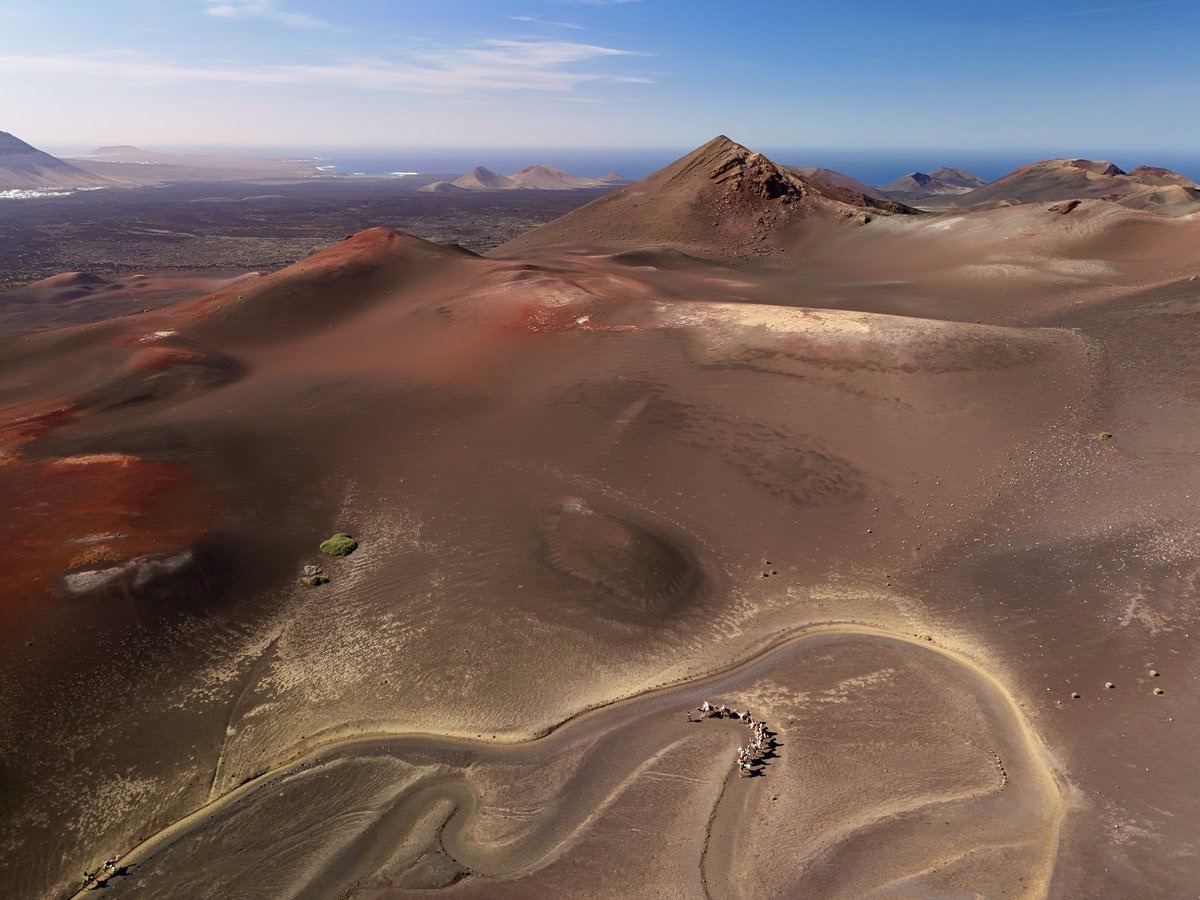
In two years, I've taken some of my most cherished drone shots ever with the Mini 4 Pro. The sunrise over the dunes of Maspalomas on Gran Canaria—the golden line between desert and ocean, from a height of 120 meters. The volcanic landscape of Lanzarote at sunset, where every crater casts long shadows. The coastal cliffs of the Algarve with their turquoise bays, which look like precious gems from above.
And then there was the flight over the levadas in Madeira—narrow irrigation channels that wind through dense laurel forests. From below, you see only walls of green, but from above, a pattern of water, forest, and clouds unfolds, almost surreal. That was the moment I understood why drone footage is so fascinating: it shows you familiar places from a perspective your brain has never seen before.
DJI Mini 4 Pro weaknesses: What DJI could do better
Low-light performance: The 1/1.3-inch sensor reaches its limits in low light. Noise becomes visible from ISO 800, and from ISO 1600 it becomes problematic for professional use. The DJI Mini 5 Pro performs noticeably better in this regard.
In very low light and demanding color grading situations, the DJI Mini 5 Pro retains its advantage with the larger sensor; the Mini 4 Pro also offers 4K/100fps for slow motion.
In most situations, you won't notice any difference. In cities with a lot of mobile network traffic (Barcelona Old Town, Tokyo Shibuya), I occasionally experienced brief picture interruptions with O4—not dramatic, but noticeable.
At temperatures below 5 degrees Celsius, battery life drops by approximately 20-30 percent. In the Alps in February, I only got about 22 minutes of runtime per battery. Tip: Warm the batteries in your jacket pocket and insert them just before starting.
No adjustable aperture: As with the DJI Mini 5 Pro, the aperture is fixed here too — at f/1.7. ND filters are mandatory in bright sunlight.
DJI Mini 4 Pro Fly More Combo: My accessory setup put to the test
I spent over two years putting together the perfect accessory setup:
ND filter set from Freewell (ND8, ND16, ND32, ND64) — approximately 45 euros. I use these filters on every flight in sunny weather. The ND32 is my most frequently used filter.
Landing pad A landing pad (around €15) — sounds silly, but it's essential. On sand, grass, or gravel, the Mini 4 Pro kicks up enough dust during takeoff and landing to dirty the gimbal. A foldable landing pad with a 55 cm diameter fits in any bag and solves the problem.
Propeller Guard Propeller guard (around €25) — I only use it when flying indoors (hotels, villas for real estate content). Outdoors, they are unnecessary and reduce flight time by about 3-4 minutes.
USB-C to Lightning cable — if you're still using an older iPhone. The DJI RC 2 remote controller has USB-C, while many smartphones still use Lightning or Micro-USB.
My conclusion: The best introduction to the world of drones
The DJI Mini 4 Pro is the drone I can unconditionally recommend to any beginner or traveler. It's light enough to fly legally in almost any country, small enough to fit in any bag, and good enough to deliver professional results—at least in daylight. Its current price of around €599–€799 makes it the unbeatable price-performance winner among travel drones.
Is it the best travel drone? Not anymore, not since the Mini 5 Pro came along. But it is the best travel drone for the money. And that counts for more than a marginal difference in quality that only pixel peepers on a calibrated monitor can detect.
My rating: 8.5 out of 10. In 2024 it would have been 9.5 — but the successor has raised the bar, and the sensor's low-light performance is no longer up to date. For everything else: fantastic.
Buy the DJI Mini 4 Pro on Amazon →
For brands: Do you need travel content with real product experience from 82 countries? You can find information about the process and services on the page. Book a Travel Content Creator.
Related to this: Content Creator Equipment 2026 — My Complete Setup and the introductory guide Become a Travel Content Creator.
DJI Mini 4 Pro in everyday travel: Correctly assessing its strengths
In short: The DJI Mini 4 Pro is particularly well-suited for trips where low weight, daylight shooting, and easy setup are more important than maximum low-light performance. Weighing just 249 grams, offering 48-megapixel photos, 4K video recording at 60 frames per second, and omnidirectional obstacle sensing, it perfectly covers this need.
When making a purchase decision, it's helpful not only to compare individual technical specifications but also to consider your own shooting plan. Those who primarily photograph landscapes can utilize the 48 megapixels to create a vertical crop from a horizontal shot. For video, D-Log M offers flexibility for color correction; 4K at 60 frames per second is also suitable for sharp, detailed travel clips. The limitations become more apparent during the dark blue hour and at night, as visible noise appears from ISO 800 and becomes problematic from ISO 1600.
| Mission | Mini 4 Pro | Classification |
|---|---|---|
| travel photo | 48 MP RAW | plenty of cropping leeway |
| Travel video | 4K/60 fps | sharp and detailed |
| Color correction | D-Log M | more leeway |
| Low light | from ISO 800 | Visible noise |
| Baggage | 249 grams | easy setup |
This means the Mini 4 Pro isn't a solution for every specific situation. Its strongest use lies in good lighting conditions, travel, and for creators who want to capture photos and classic 4K videos in a small package.
From backpack to starting line: a reliable process
A good travel setup starts with transportation. Drones and batteries should be carried in hand luggage on flights; a hard case provides additional protection. Sensitive electronics can also be protected from rain showers in a dry bag inside a backpack. However, this doesn't make the drone waterproof and is no reason to fly in the rain. After a flight, it's advisable to recalibrate the gimbal at the new location, as the orientation can shift during transport.
At the launch site, a brief technical check is performed. Propellers, gimbal, and housing should be undamaged. The map in the DJI Fly app and the surrounding area are checked for obstacles; power lines and trees directly above the launch point are also examined. The return-to-home altitude is set so that it is at least 10 meters above the highest obstacle. For sand, grass, or gravel, a foldable landing pad with a 55-centimeter diameter is practical, as otherwise dust can be kicked up and the gimbal can become dirty during takeoff.
In windy conditions, a power reserve is particularly important. The Mini 4 Pro noticeably struggles in wind force 5 and then consumes energy more quickly; Max therefore sets his personal limit at wind force 4. The omnidirectional obstacle detection assists with maneuvering and can automatically warn or brake, but it does not replace monitoring your surroundings or flying a careful flight path.
Recording and data backup: the workflow for on the go
Before takeoff, the desired result determines the camera settings. For footage with planned post-processing, D-Log M offers flexibility for color grading. In bright sunlight, ND filters compensate for the fixed f/1.7 aperture; Max uses a set of ND8, ND16, ND32, and ND64 filters on the Mini 4 Pro, most frequently reaching for the ND32.
During filming, a smooth flying style pays off. Slow, even movements appear cleaner than hectic changes of direction. The 3-axis gimbal, together with electronic image stabilization, ensures smooth footage; even in moderate winds of force 3 to 4, my footage remained free of jitter or shudder. For photos, the 48-megapixel resolution allows for the flexibility to later select a vertical crop from a horizontal image. For video, 4K/60 fps is the more reliable baseline, while 4K/100 fps is suitable for slow motion.
After landing, the backup process begins: copy the data from the memory card to a smartphone or laptop and double-check the drone, propellers, and gimbal. If the next flight isn't on the same day, charge the batteries to approximately 50 percent storage charge. The Fly More Combo facilitates longer days with three batteries; the charging hub charges them sequentially, taking about 90 minutes for all three.
Related to this: Edit drone footage.
Frequently Asked Questions (FAQ)
Can I use the DJI Mini 4 Pro for professional work?
Yes, as long as you're mainly flying in daylight and during the golden hour. I've used the DJI Mini 4 Pro for collaborations—no client complained about the quality. For professional low-light work (evening events, architecture at night), however, I would recommend the DJI Mini 5 Pro or a Mavic.
How long does the DJI Mini 4 Pro last with intensive use?
My drone has lasted over two years and an estimated 400-500 flights without any problems. DJI builds extremely robust drones—mechanically, there are hardly any issues with these mini-drones. The typical "death" of a drone is always a crash, not wear and tear. If you fly carefully and keep obstacle avoidance activated, the drone will easily last three to five years.
Are there still firmware updates available for the DJI Mini 4 Pro?
As of 2026, DJI is still providing firmware updates for the Mini 4 Pro. The drone has only been on the market since the end of 2023 and still has at least two to three years of software support ahead of it. DJI is more reliable with firmware maintenance than most tech companies—even the Mavic Air 2 from 2020 still receives occasional updates.
DJI Mini 4 Pro or DJI Mini 4 Pro with DJI RC 2?
I recommend the version with DJI RC 2 remote control (with a built-in screen). Yes, it's about €150 more expensive, but you save on your smartphone's battery, have a brighter screen that's still readable in direct sunlight, and the overall experience is significantly smoother. If you use the drone regularly, the investment is worthwhile.
What do I do if my Mini 4 Pro crashes into the sea?
Short answer: You buy a new one. Saltwater and electronics are incompatible. Therefore, my most important tip for coastal flights: Always activate Return-to-Home when the battery is low, never fly directly over water without GPS lock, and always keep enough battery reserve for the return flight. DJI Care Refresh (approximately 79 euros/year) replaces the drone in case of total loss — a worthwhile investment for coastal content creators.
For which types of recording is the DJI Mini 4 Pro particularly suitable?
Its strengths lie in travel photos and videos taken in good lighting. 48-megapixel photos offer ample room for cropping, while 4K/60 fps and D-Log M provide a solid foundation for edited travel clips.
What should be checked after a flight?
The gimbal should be calibrated at the new location because its orientation can shift during transport. Before takeoff, the propellers, housing, surroundings, and the set return-to-home altitude should also be checked.
Why is a landing pad useful for the Mini 4 Pro?
When taking off and landing on sand, grass, or gravel, the drone can kick up dust that contaminates the gimbal. A foldable landing pad with a 55-centimeter diameter provides a clean takeoff and landing surface.
Which video format is best suited for post-production?
4K/60 fps delivers sharp and detailed footage, while D-Log M offers additional flexibility for color grading. 4K/100 fps is available as a regular slow-motion mode.
How are recordings and batteries handled after the flight?
The memory card is copied directly to a smartphone or laptop, then the propellers, gimbal, and housing are checked. If no further flight is planned for the same day, the batteries are left to approximately 50 percent storage charge.
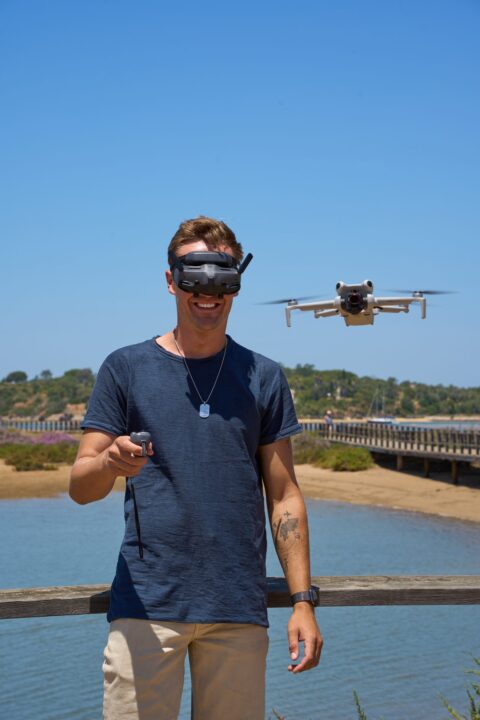
Max Haase
Travel Content Creator · Drone Photographer · Visual Storyteller
A professional travel creator for over 10 years with over 4 million followers. Specializing in high-end tourism board collaborations and visual travel storytelling.

 German
 English